
Webhook Options
Overview
iReporter can post messages to Discord (or any webhook-compatible service) automatically when a button is pressed. Up to three webhooks can be configured.
Enable Discord Reporting
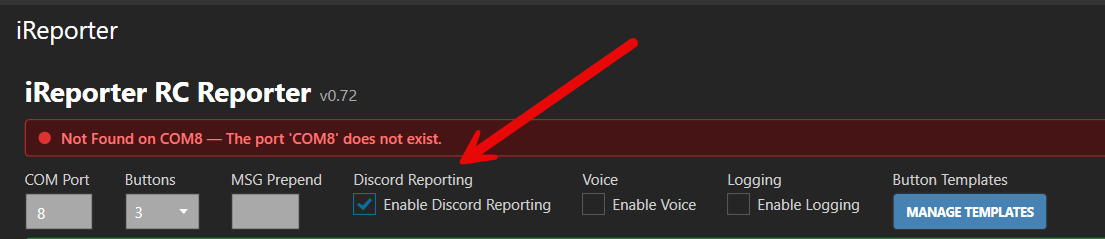
Master switch for webhook posting. When unchecked, no messages are sent to any webhook.
Getting a Discord Webhook URL
Before you can configure a webhook in iReporter, you need to create one in Discord. You need to have Manage Webhooks permission in the Discord server to do this.
Paste the copied URL into one of iReporter's Webhook URL fields as described below.
Configuring Webhooks
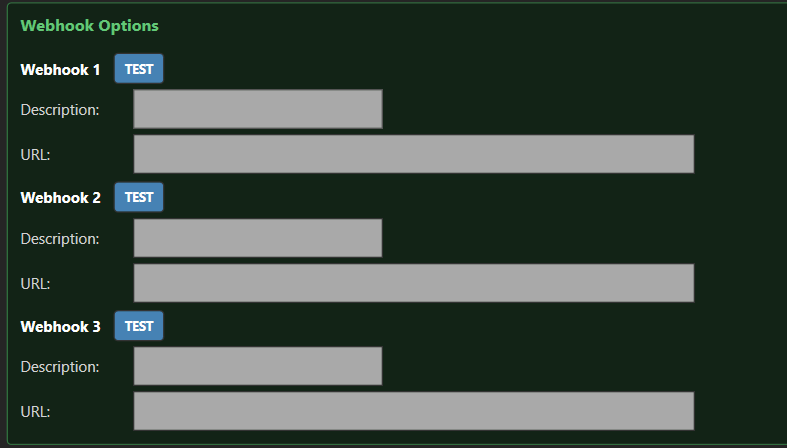
Each webhook has two fields:
- URL — the full Discord webhook URL obtained from the steps above.
- Description — a label for your own reference (e.g. Race Control, Stewards, Public Feed).
You can configure up to three separate webhooks, allowing different buttons to post to different Discord channels.