How to Change Receive Channel
The radio receives a second channel, and in New Zealand we have 2 channels that could be used at tracks. 99% of the time, this will be set to the "MANZ RX", which is Motorsport Association of NZ receive, and what will be used on most tracks and track days.
The other option is the NAZCAR series. They use their own separate channel. It is important to have this set correctly so you can hear the track messages.
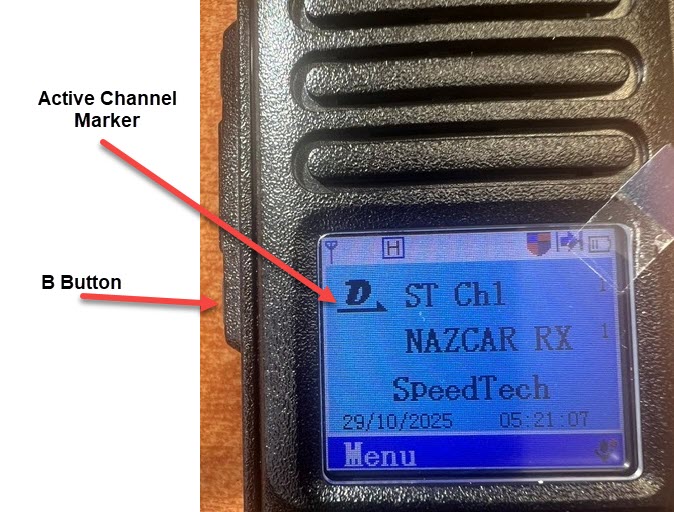
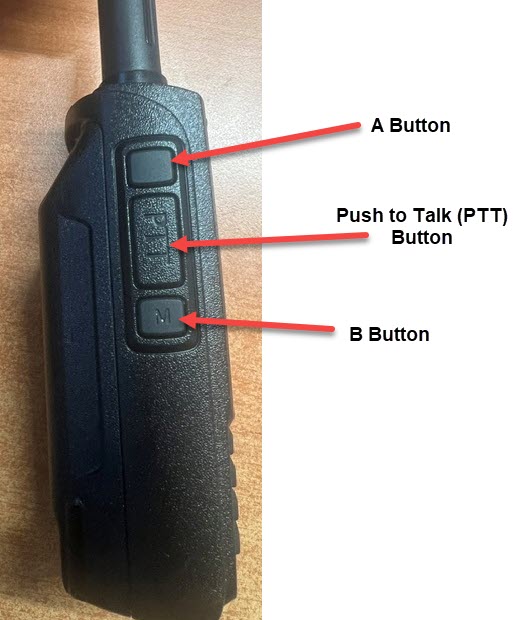
To change the Receive channel, first press the "B Button" on the side of the radio to move the active channel to the bottom channel. You should also notice the letter on the channel type change from "D" (Digital) to "A" (Analogue) - all track channels are Analogue.
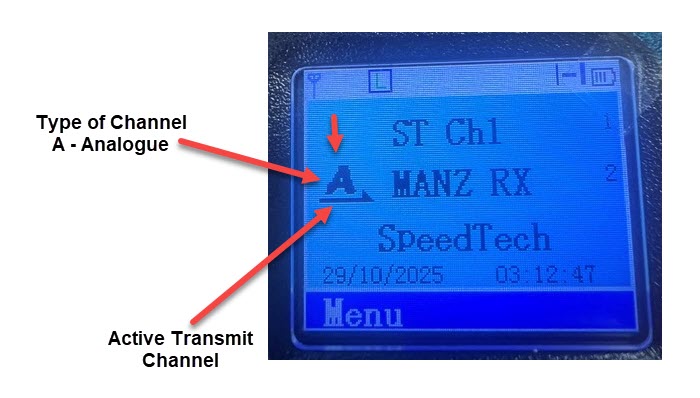
Now use the Channel selector to change the channel - It will cycle through the available receive channels (currently on 2)
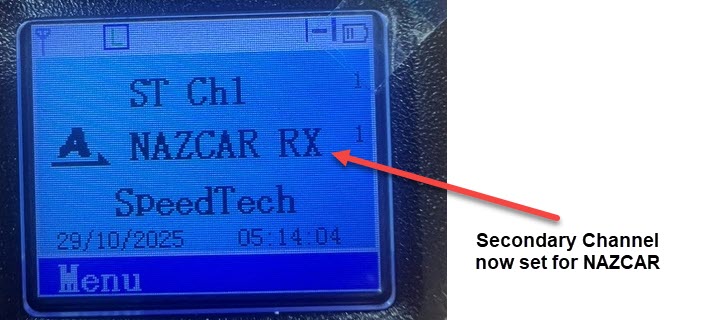
IMPORTANT: Once complete, it is imperative that the ACTIVE channel is set back to the top channel by pressing the "B Button" again. If you do not do this, it will disable the transmit function, as transmit is disabled on the receive-only channels in the bottom slot.