Advanced Radio Functions
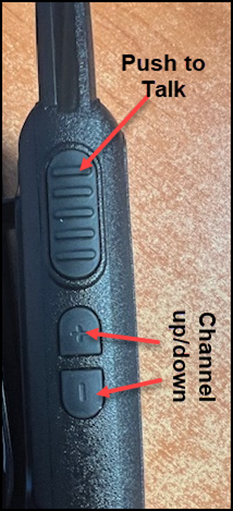
Your radio includes several advanced features that can be activated using the channel up/down keys. These functions are triggered with a long press, which means holding the button(s) for more than two seconds.
Channel Lock
The Channel Lock feature prevents accidental changes to your selected channel.
- To activate Channel Lock, press and hold both the UP and DOWN buttons together for more than two seconds. (You will hear a single “beep”, indicating that the channel lock is active)
- To deactivate Channel Lock, repeat the same action. (A double “beep” will confirm that the channel is unlocked)
Monitor Function
The Monitor Function temporarily disables the squelch, a feature that blocks background static or weak signals when no transmission is detected.
- To enable monitoring, press and hold the UP (+) key.
- This will allow you to hear all signals, including weak ones that wouldn’t normally pass the squelch filter.
- To disable monitoring, release the button.
-