Standby Channel Recieve Dissable
The radio can disable one of the channels. To disable a channel, ensure the channel that you want to disable is not the active channel. You can change the active channel by pressing the B Button to toggle between them.
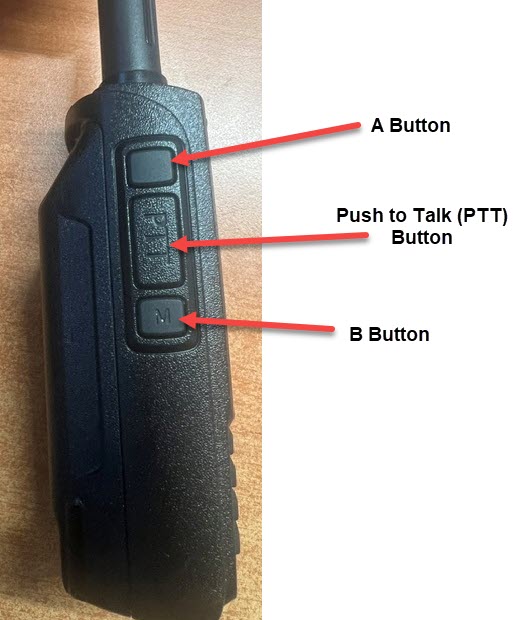
Once you have the channel that you DON'T want to disable as the active channel, press the RED button on the front keypad. 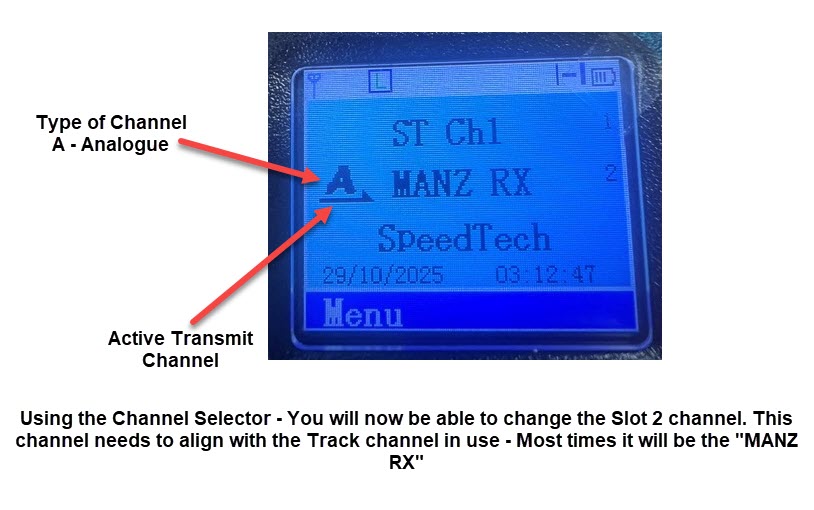
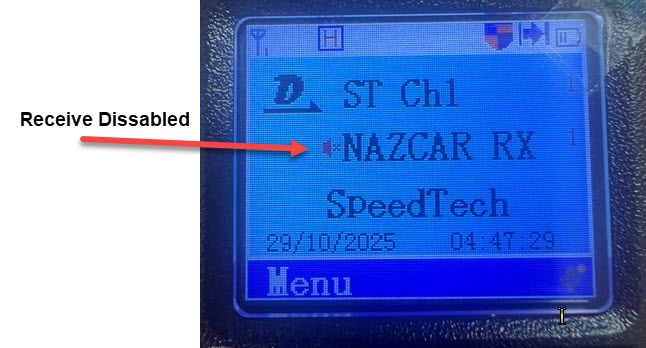
Press the RED to disable the Receive on the standby channel.
If you get a message saying the "Keypad is locked", you have 2 options to unlock it.
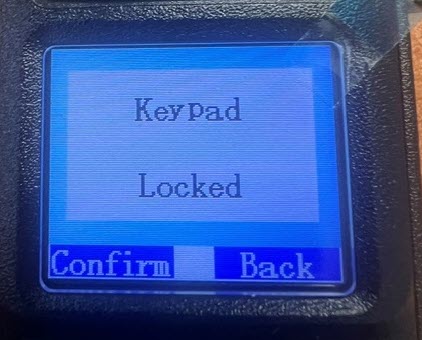
- Turn the radio off, then on again - the keypad will be unlocked for 15 seconds on radio startup,
- Use the Keypad to unlock the Keypad. This is done by pressing the Green button, then the * button. Once done, you should see a message on the screen saying "Keypad Unlocked"
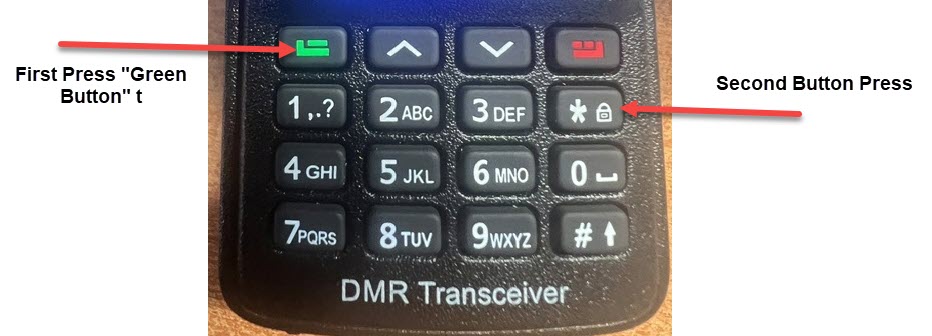
Once unlocked, you can now press the RED button to disable the standby channel.
To enable - Press the red button again. The disabled marker should disappear.