Setting the Squelch (Only applies to ANALOGUE Channels)
Analogue channels are susceptible to noise. Noise can be described in many ways and is often recognised by hearing static or other unwanted sounds on the radio.
The squelch setting acts like a gate, blocking unwanted noise below a certain level. By changing the Squelch settings, we can adjust where that noise setting is.
Please Note: Be careful here and ONLY make the changes as directed - failure to do so could make the radio fail to operate as expected.
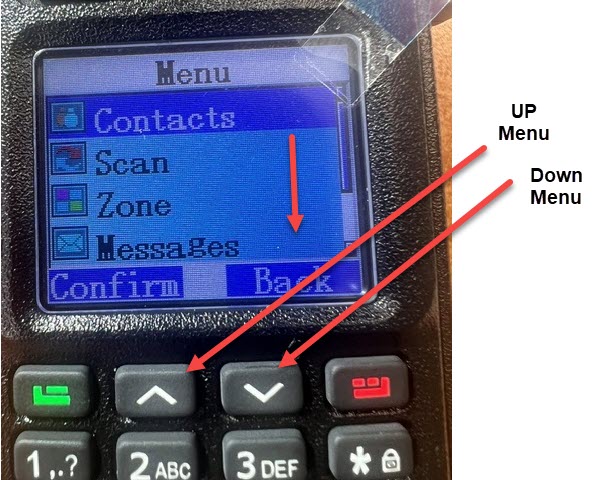
- Press the "Green" button on the keypad. If you get the "Keypad is locked" message, see the page on how to unlock the keypad.
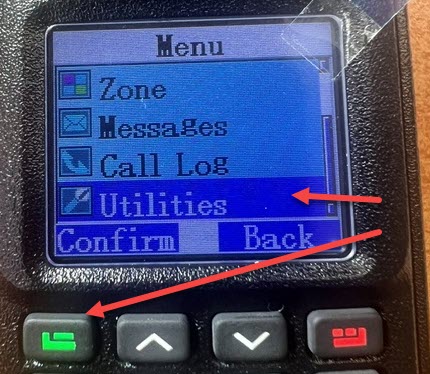
- Use the Down Arrow to select "Utilities" from the menu, followed by the Green Button (Confirm)

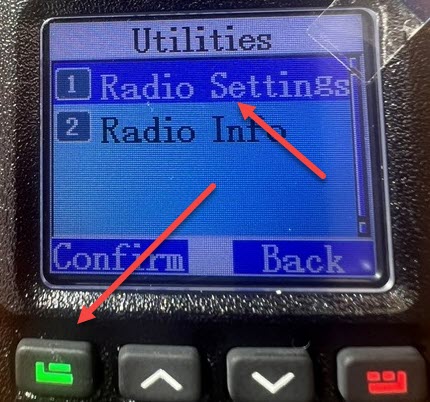
- Select "Radio Settings" and once again, the Green Button (Confirm)

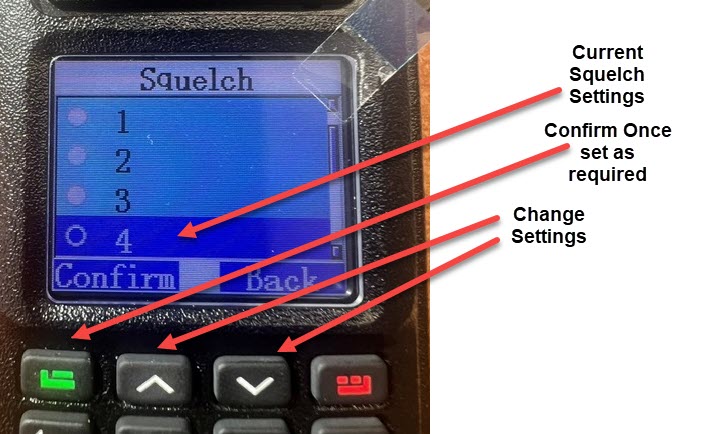
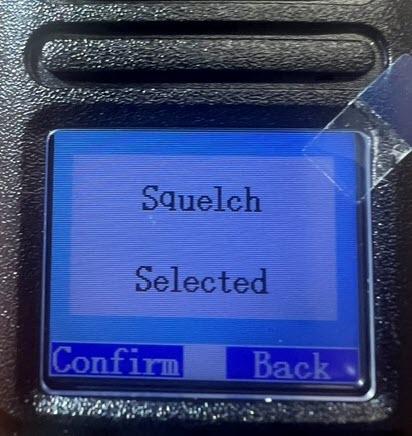
- Select "Squelch" and once again, the Green Button (Confirm)

- You will now be selected by the Squelch settings - It will show you the current level set. The higher the value, the higher the gate or filter bar is set.

- Select whatever is needed, and once again, the Green Button (Confirm)

NOTE: If you wind up the Squelch setting up and are still receiving "noise", - it can mean you are in a super high interference environment, and we will need to look into other solutions. Contact SpeedTech to discuss options