LCD Display
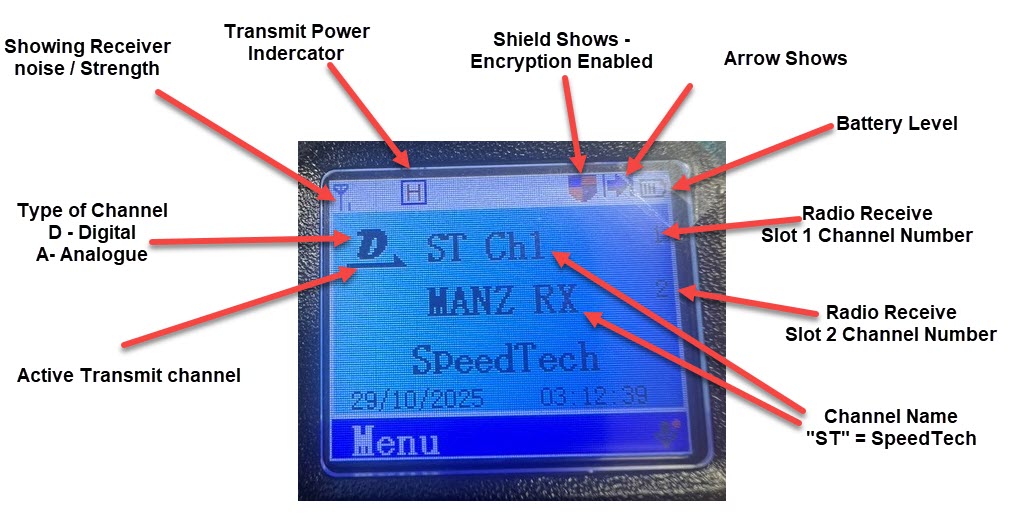
Firstly, to determine the default settings for the radio. This is MOST likely how you will have the radio set in day-to-day use
Pressing the "B Button" on the left-hand side of the radio will change the LCD to look as below.
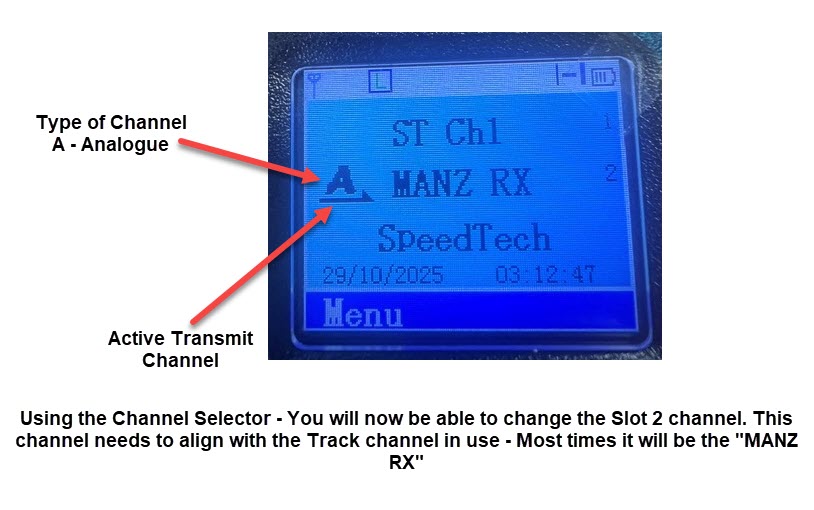
IMPORTANT: Leaving the radio will disable Transmit because the Active channel is set to a "Receive Only" Channel. You need to press the B-Button again to have the active channel move back to the top ST (Speedtech) channel.